Network-wide ad blocking via your own Linux hardware
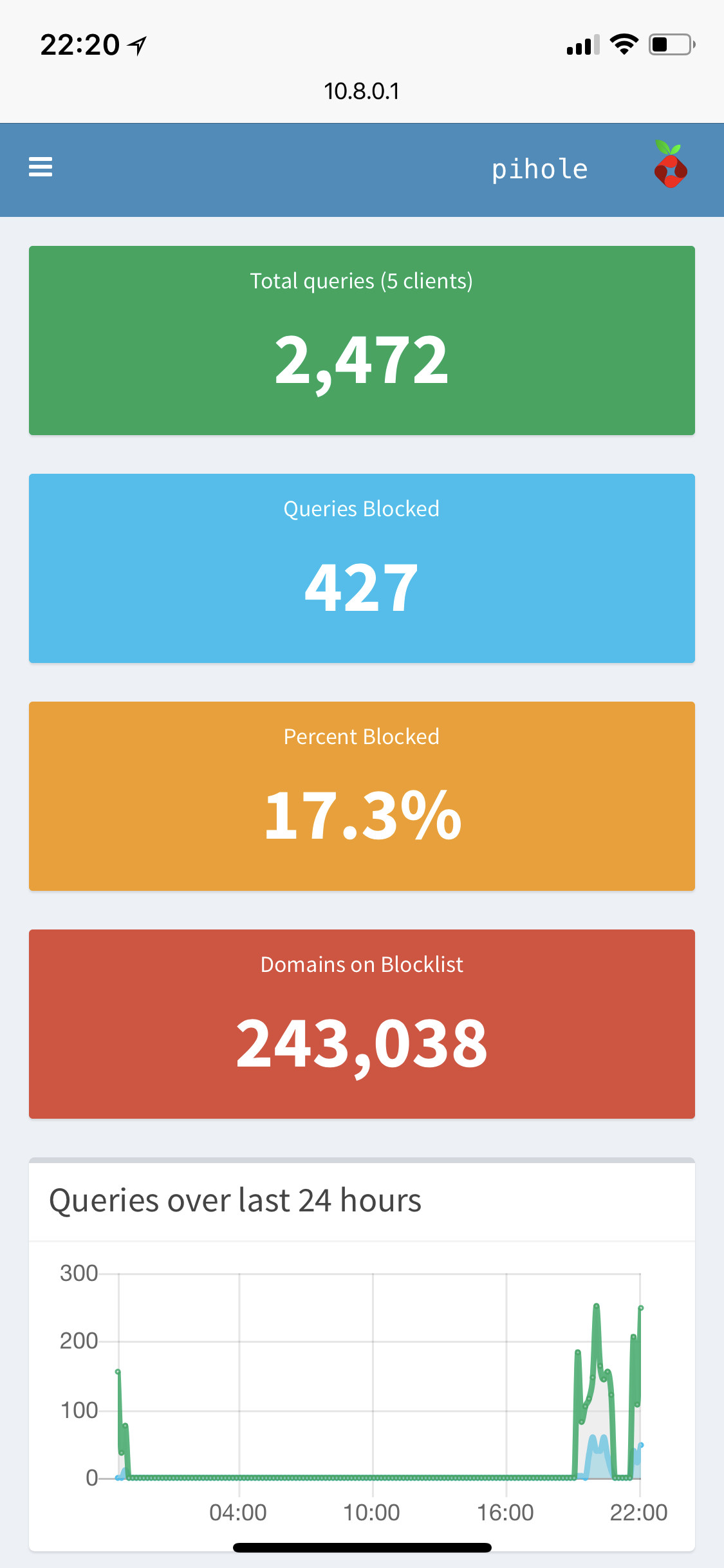
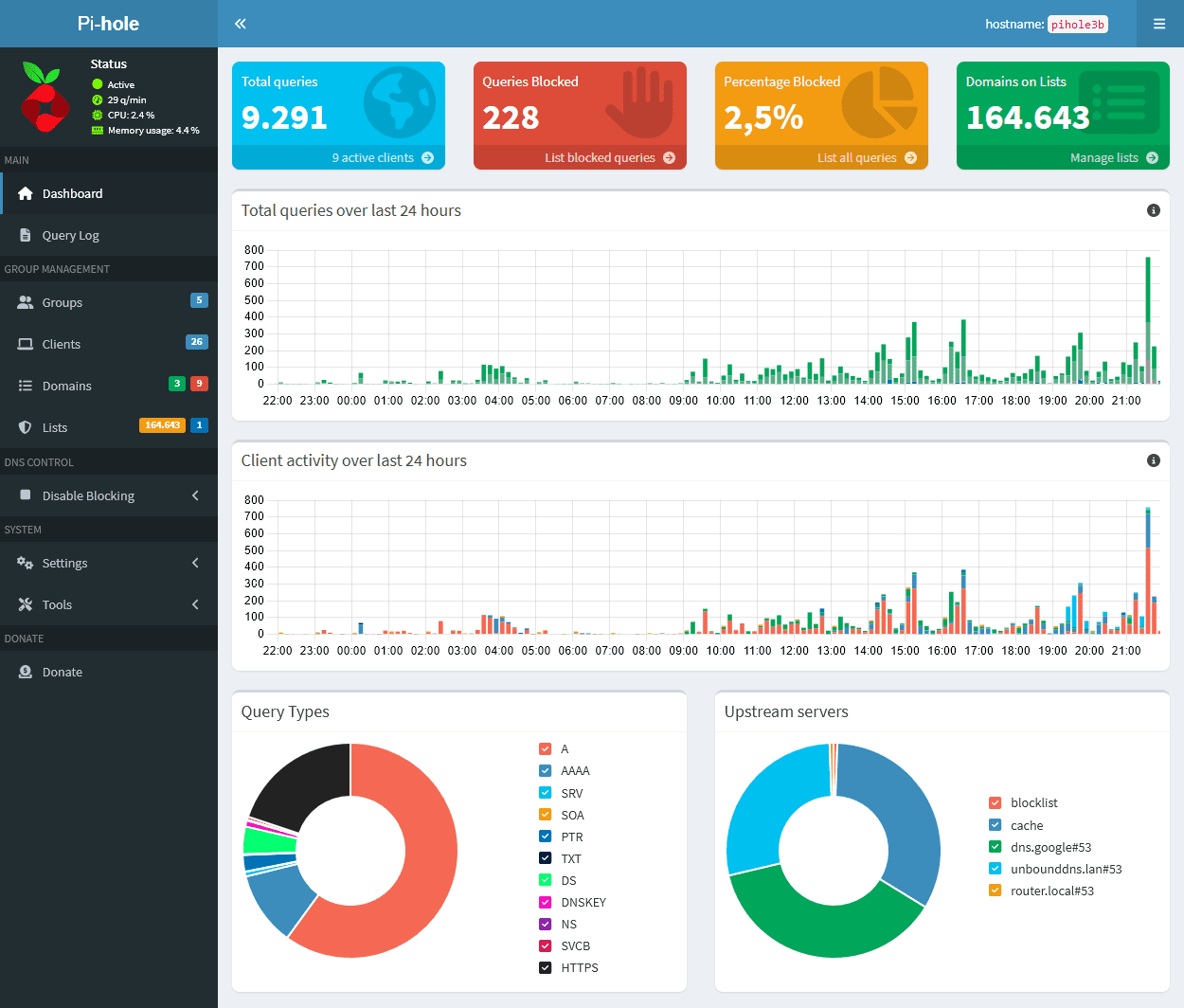 Pi-hole[®](https://pi-hole.net/trademark-rules-and-brand-guidelines/)'s Web interface (based off of [AdminLTE](https://github.com/ColorlibHQ/AdminLTE)) provides a central location to manage your Pi-hole and review the statistics generated by FTLDNS[™](https://pi-hole.net/trademark-rules-and-brand-guidelines/).
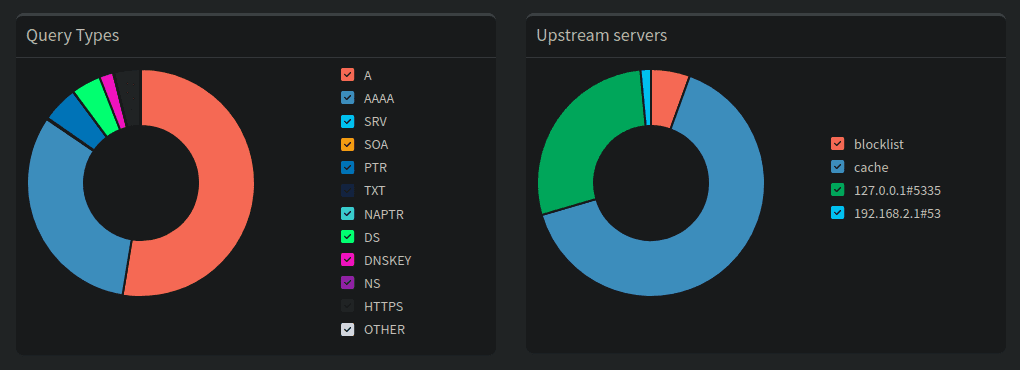
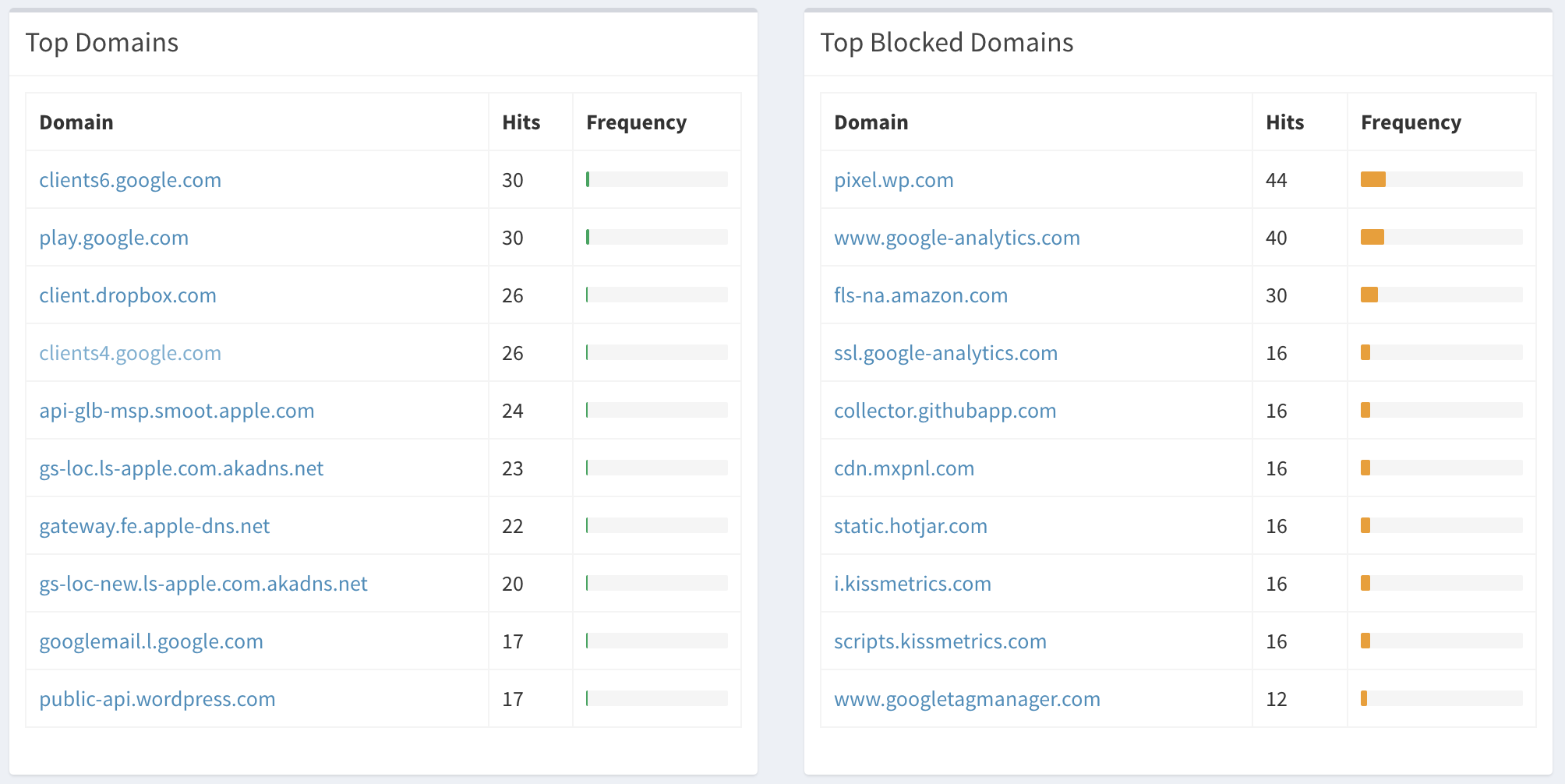
- **Easy-to-interpret**: simple graphs and beautiful colors make Pi-hole's stats easy to understand
- **Responsive**: looks great on desktop, tablets, and mobile devices
- **Useful**: control and configure your Pi-hole with our settings
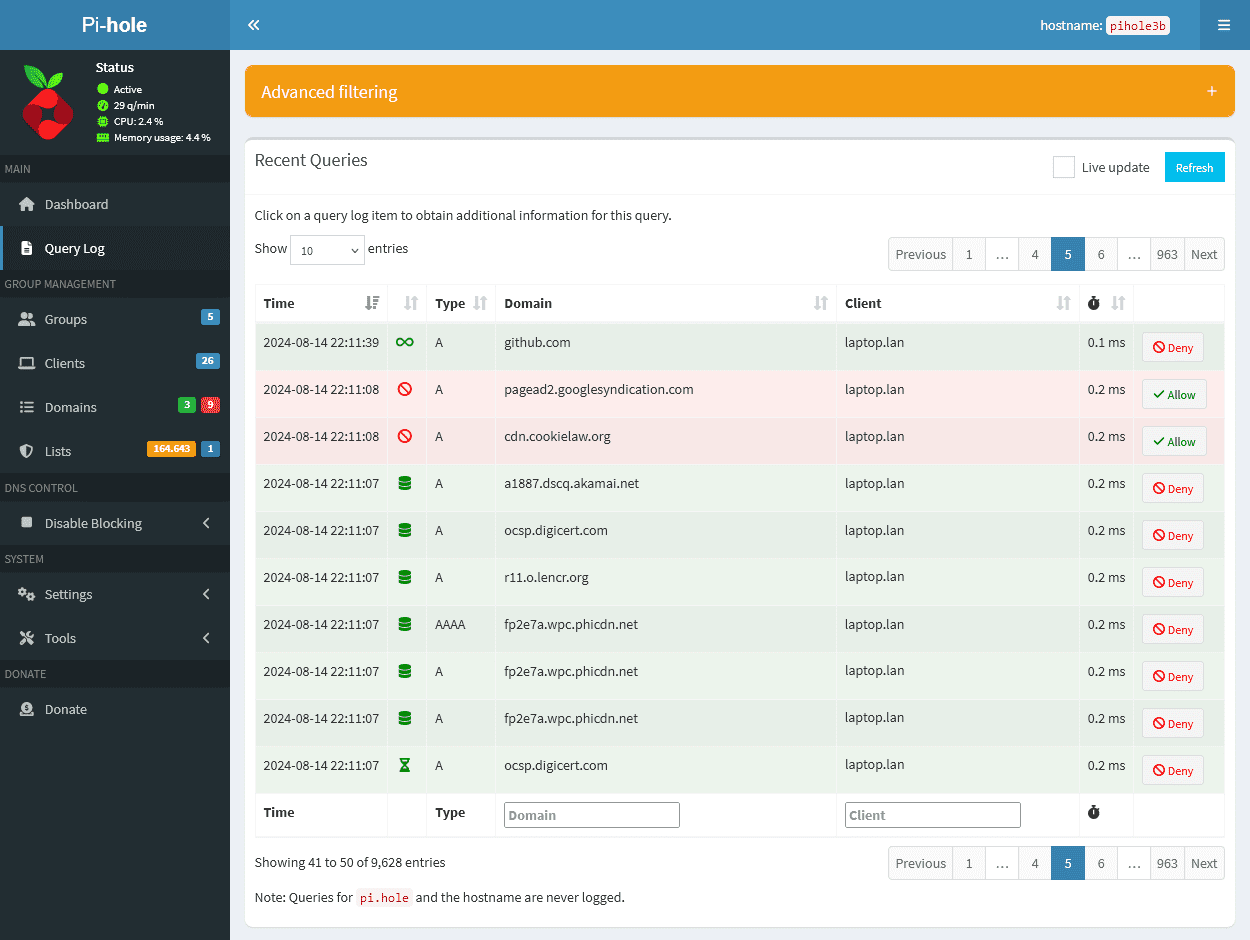
- **Insightful**: use the query log, including long-term stats to gain insight into your networks activity
Pi-hole[®](https://pi-hole.net/trademark-rules-and-brand-guidelines/)'s Web interface (based off of [AdminLTE](https://github.com/ColorlibHQ/AdminLTE)) provides a central location to manage your Pi-hole and review the statistics generated by FTLDNS[™](https://pi-hole.net/trademark-rules-and-brand-guidelines/).
- **Easy-to-interpret**: simple graphs and beautiful colors make Pi-hole's stats easy to understand
- **Responsive**: looks great on desktop, tablets, and mobile devices
- **Useful**: control and configure your Pi-hole with our settings
- **Insightful**: use the query log, including long-term stats to gain insight into your networks activity
 ---
---
 [Donate via PayPal](https://www.paypal.com/cgi-bin/webscr?cmd=_s-xclick&hosted_button_id=3J2L3Z4DHW9UY)
-
[Donate via PayPal](https://www.paypal.com/cgi-bin/webscr?cmd=_s-xclick&hosted_button_id=3J2L3Z4DHW9UY)
-  [Bitcoin, Bitcoin Cash, Ethereum, Litecoin](https://commerce.coinbase.com/checkout/dd304d04-f324-4a77-931b-0db61c77a41b)
### Alternative support
If you'd rather not [donate](https://pi-hole.net/donate/) (_which is okay!_), there are other ways you can help support us:
- [Patreon](https://patreon.com/pihole) _Become a patron for rewards_
- [Digital Ocean](https://www.digitalocean.com/?refcode=344d234950e1) _affiliate link_
- [Stickermule](https://www.stickermule.com/unlock?ref_id=6055890701&utm_medium=link&utm_source=invite) _earn a \$10 credit after your first purchase_
- [Amazon](https://www.amazon.com/exec/obidos/redirect-home/pihole09-20) _affiliate link_
- [DNS Made Easy](https://cp.dnsmadeeasy.com/u/133706) _affiliate link_
- Spreading the word about our software, and how you have benefited from it
### Contributing via GitHub
We welcome _everyone_ to contribute to issue reports, suggest new features, and create pull requests.
If you have something to add - anything from a typo through to a whole new feature - we're happy to check it out! Just make sure to fill out our template when submitting your request; the questions that it asks will help the volunteers quickly understand what you're aiming to achieve.
### Presentations about Pi-hole
Word-of-mouth continues to help our project grow immensely, and so we are helping make this easier for people.
If you are going to be presenting Pi-hole at a conference, meetup or even a school project, [get in touch with us](https://pi-hole.net/2017/05/17/giving-a-presentation-on-pi-hole-contact-us-first-for-some-goodies-and-support/) so we can hook you up with free swag to hand out to your audience!
---
## Getting in touch with us
While we are primarily reachable on our Discourse User Forum, we can also be found on a variety of social media outlets. **Please be sure to check the FAQ's** before starting a new discussion, as we do not have the spare time to reply to every request for assistance.
* **[Frequently Asked Questions](https://discourse.pi-hole.net/c/faqs)**
* **[Pi-hole Wiki](https://github.com/pi-hole/pi-hole/wiki)**
* **[Feature Requests](https://discourse.pi-hole.net/c/feature-requests?order=votes)**
* [Discourse User Forum](https://discourse.pi-hole.net/)
* [Reddit](https://www.reddit.com/r/pihole/)
* [Twitter](https://twitter.com/The_Pi_Hole)
* [Facebook](https://www.facebook.com/ThePiHole/)
* [Gitter](https://gitter.im/pi-hole/pi-hole) (Real-time chat)
* [YouTube](https://www.youtube.com/channel/UCT5kq9w0wSjogzJb81C9U0w)
# Features
## Mobile friendly interface
[Bitcoin, Bitcoin Cash, Ethereum, Litecoin](https://commerce.coinbase.com/checkout/dd304d04-f324-4a77-931b-0db61c77a41b)
### Alternative support
If you'd rather not [donate](https://pi-hole.net/donate/) (_which is okay!_), there are other ways you can help support us:
- [Patreon](https://patreon.com/pihole) _Become a patron for rewards_
- [Digital Ocean](https://www.digitalocean.com/?refcode=344d234950e1) _affiliate link_
- [Stickermule](https://www.stickermule.com/unlock?ref_id=6055890701&utm_medium=link&utm_source=invite) _earn a \$10 credit after your first purchase_
- [Amazon](https://www.amazon.com/exec/obidos/redirect-home/pihole09-20) _affiliate link_
- [DNS Made Easy](https://cp.dnsmadeeasy.com/u/133706) _affiliate link_
- Spreading the word about our software, and how you have benefited from it
### Contributing via GitHub
We welcome _everyone_ to contribute to issue reports, suggest new features, and create pull requests.
If you have something to add - anything from a typo through to a whole new feature - we're happy to check it out! Just make sure to fill out our template when submitting your request; the questions that it asks will help the volunteers quickly understand what you're aiming to achieve.
### Presentations about Pi-hole
Word-of-mouth continues to help our project grow immensely, and so we are helping make this easier for people.
If you are going to be presenting Pi-hole at a conference, meetup or even a school project, [get in touch with us](https://pi-hole.net/2017/05/17/giving-a-presentation-on-pi-hole-contact-us-first-for-some-goodies-and-support/) so we can hook you up with free swag to hand out to your audience!
---
## Getting in touch with us
While we are primarily reachable on our Discourse User Forum, we can also be found on a variety of social media outlets. **Please be sure to check the FAQ's** before starting a new discussion, as we do not have the spare time to reply to every request for assistance.
* **[Frequently Asked Questions](https://discourse.pi-hole.net/c/faqs)**
* **[Pi-hole Wiki](https://github.com/pi-hole/pi-hole/wiki)**
* **[Feature Requests](https://discourse.pi-hole.net/c/feature-requests?order=votes)**
* [Discourse User Forum](https://discourse.pi-hole.net/)
* [Reddit](https://www.reddit.com/r/pihole/)
* [Twitter](https://twitter.com/The_Pi_Hole)
* [Facebook](https://www.facebook.com/ThePiHole/)
* [Gitter](https://gitter.im/pi-hole/pi-hole) (Real-time chat)
* [YouTube](https://www.youtube.com/channel/UCT5kq9w0wSjogzJb81C9U0w)
# Features
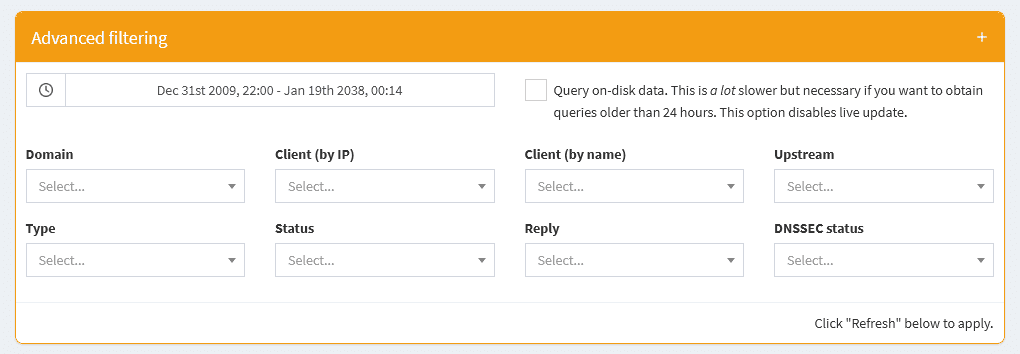
## Mobile friendly interface
 ## Blocking and allowing domains
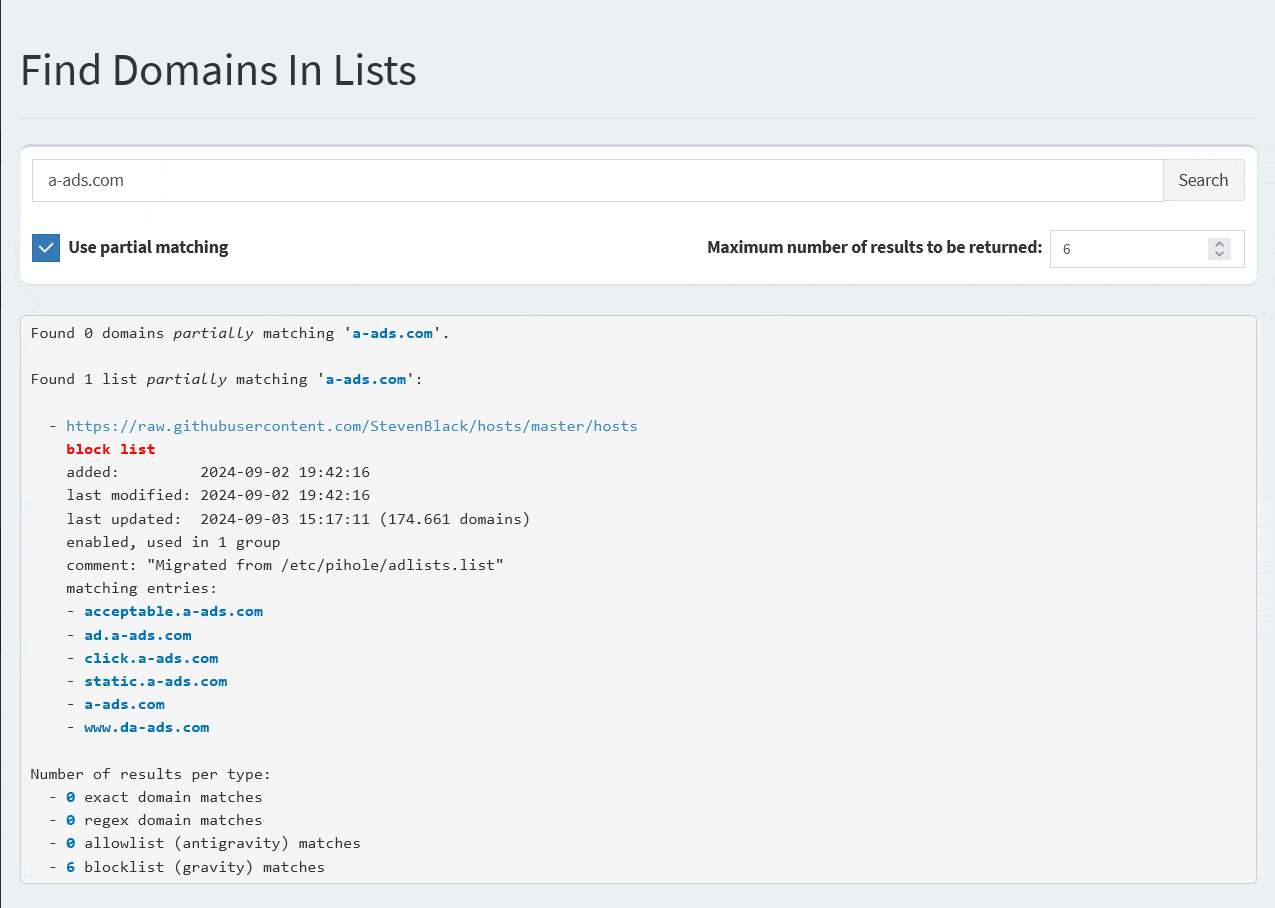
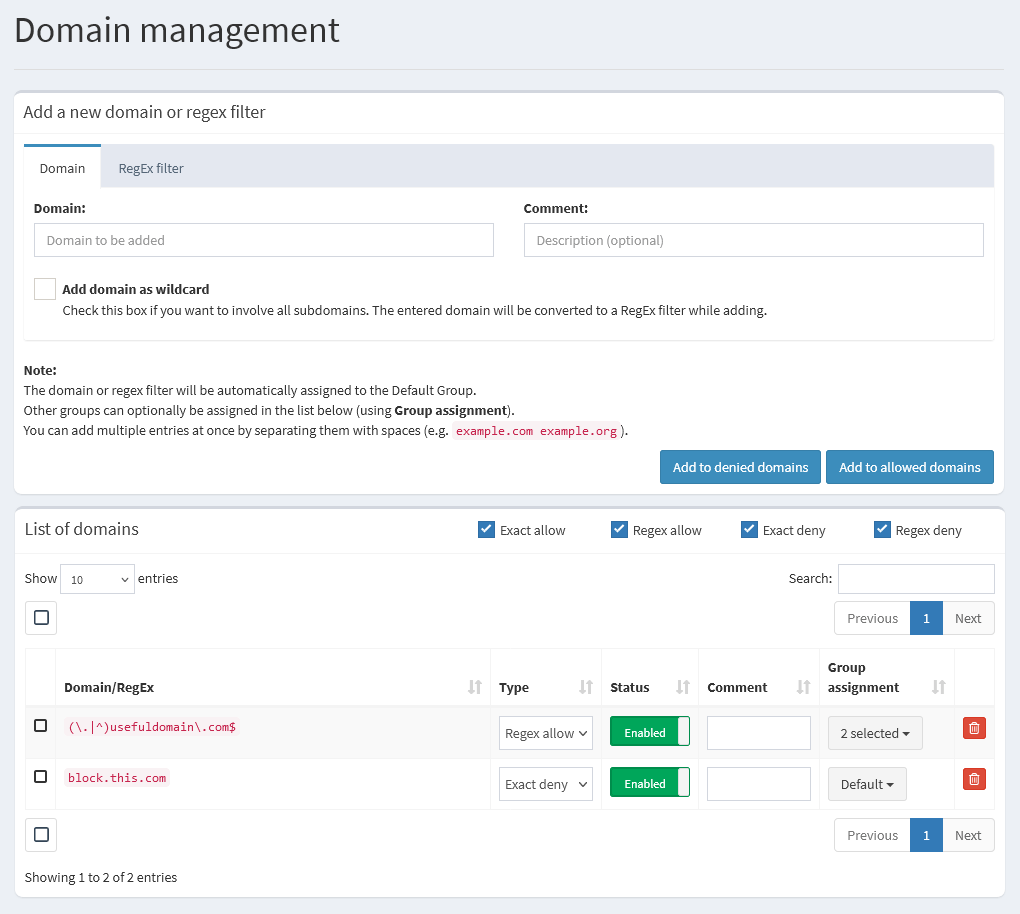
Lists, domains (block or allow) and regex entries can be managed through groups.
- [Group management overview](https://docs.pi-hole.net/group_management/groups/)
- [How to use Pi-hole Groups with examples](https://docs.pi-hole.net/group_management/example/)
## Blocking and allowing domains
Lists, domains (block or allow) and regex entries can be managed through groups.
- [Group management overview](https://docs.pi-hole.net/group_management/groups/)
- [How to use Pi-hole Groups with examples](https://docs.pi-hole.net/group_management/example/)
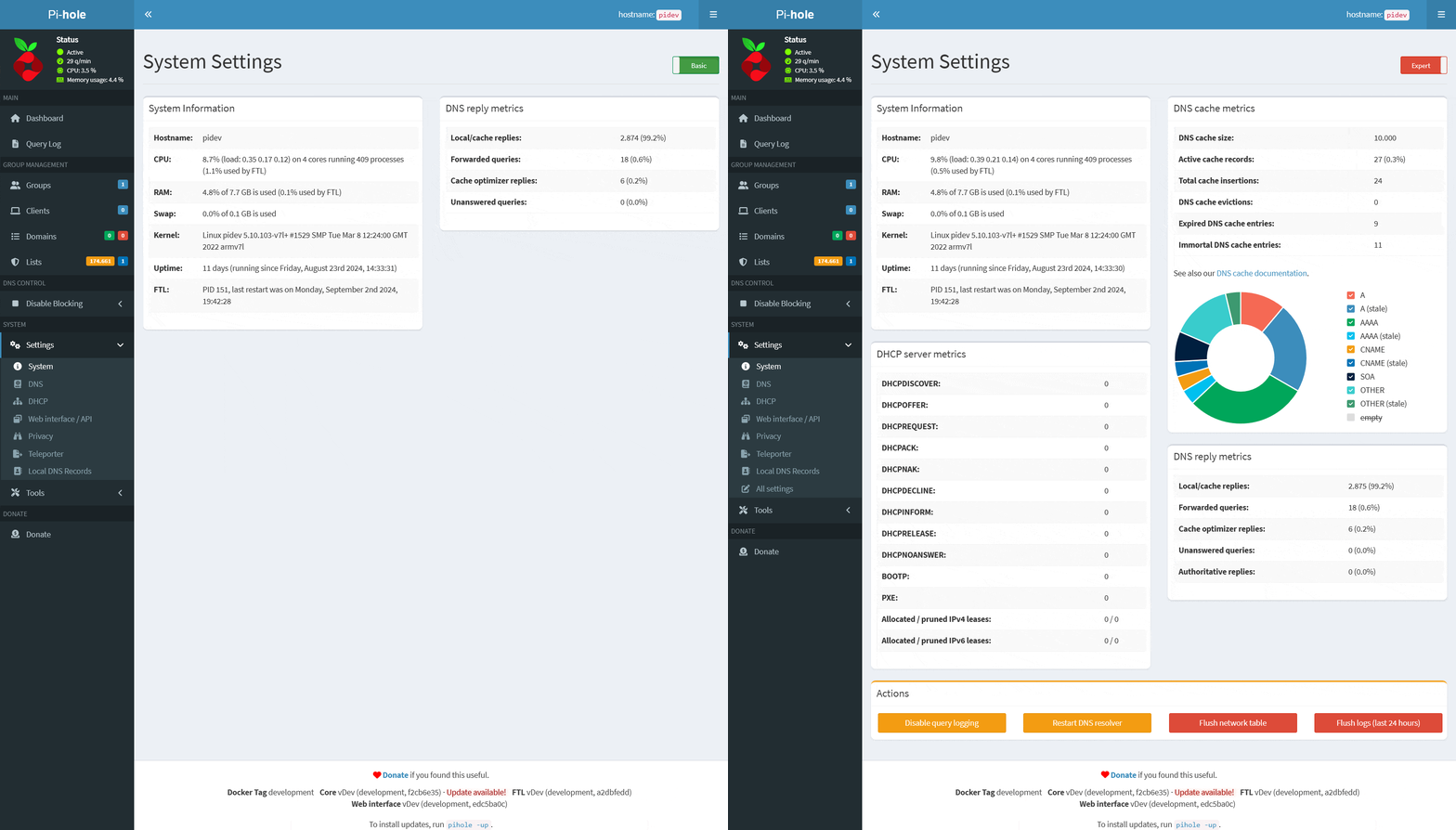 **System Settings:**
- System Information
- DNS reply metrics
- DNS cache metrics $\color{red}{\normalsize\textsf{[Expert]}}$
- DHCP server metrics $\color{red}{\normalsize\textsf{[Expert]}}$
- Actions (Buttons) $\color{red}{\normalsize\textsf{[Expert]}}$
**DNS Settings:**
- Upstream DNS Servers (including custom DNS servers)
- Interface settings $\color{red}{\normalsize\textsf{[Expert]}}$
- Advanced DNS settings $\color{red}{\normalsize\textsf{[Expert]}}$
- DNS domain settings $\color{red}{\normalsize\textsf{[Expert]}}$
- Rate-limiting $\color{red}{\normalsize\textsf{[Expert]}}$
- Conditional forwarding $\color{red}{\normalsize\textsf{[Expert]}}$
**DHCP Settings:**
- General DHCP Settings
- Advanced DHCP Settings $\color{red}{\normalsize\textsf{[Expert]}}$
- Currently active DHCP leases table
- Static DHCP configuration $\color{red}{\normalsize\textsf{[Expert]}}$
- Advanced description (Help text) $\color{red}{\normalsize\textsf{[Expert]}}$
**Web Interface - API Settings:**
- Theme settings
- Advanced Settings $\color{red}{\normalsize\textsf{[Expert]}}$
- Exclusions (Domains and Clients to be excluded from dashboard tables) $\color{red}{\normalsize\textsf{[Expert]}}$
- Currently active sessions table $\color{red}{\normalsize\textsf{[Expert]}}$
**Privacy Settings:**
- Query Logging
- Query Anonymization ("Privacy Level") $\color{red}{\normalsize\textsf{[Expert]}}$
- Privacy-related database settings $\color{red}{\normalsize\textsf{[Expert]}}$
**Teleporter:**
- Export your Pi-hole's configuration
- Import previously exported configuration
**Local DNS Settings:**
- Local DNS records
- Local CNAME records
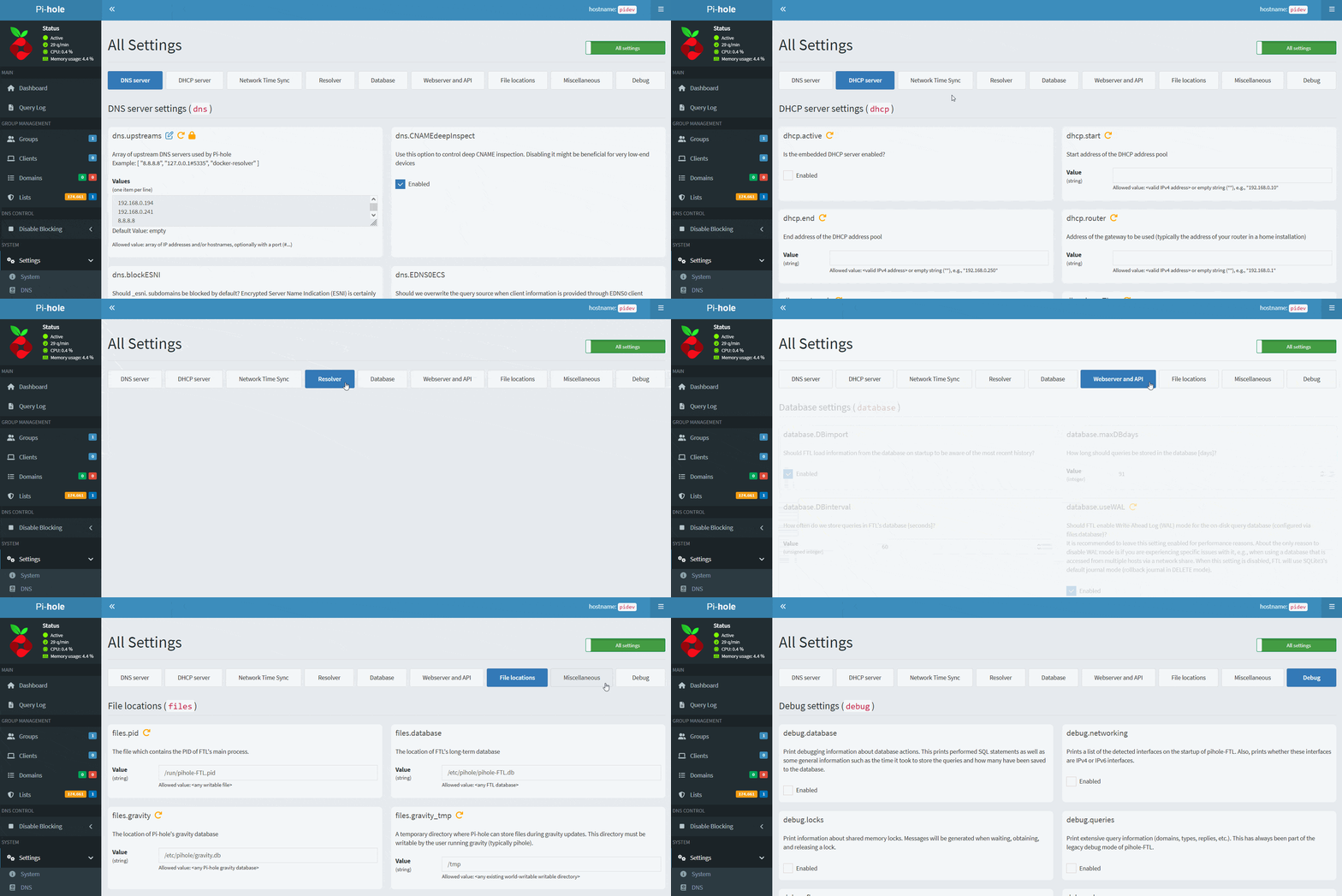
**All Settings** (only visible in Expert mode):
- Advanced settings page, containing all available options
**System Settings:**
- System Information
- DNS reply metrics
- DNS cache metrics $\color{red}{\normalsize\textsf{[Expert]}}$
- DHCP server metrics $\color{red}{\normalsize\textsf{[Expert]}}$
- Actions (Buttons) $\color{red}{\normalsize\textsf{[Expert]}}$
**DNS Settings:**
- Upstream DNS Servers (including custom DNS servers)
- Interface settings $\color{red}{\normalsize\textsf{[Expert]}}$
- Advanced DNS settings $\color{red}{\normalsize\textsf{[Expert]}}$
- DNS domain settings $\color{red}{\normalsize\textsf{[Expert]}}$
- Rate-limiting $\color{red}{\normalsize\textsf{[Expert]}}$
- Conditional forwarding $\color{red}{\normalsize\textsf{[Expert]}}$
**DHCP Settings:**
- General DHCP Settings
- Advanced DHCP Settings $\color{red}{\normalsize\textsf{[Expert]}}$
- Currently active DHCP leases table
- Static DHCP configuration $\color{red}{\normalsize\textsf{[Expert]}}$
- Advanced description (Help text) $\color{red}{\normalsize\textsf{[Expert]}}$
**Web Interface - API Settings:**
- Theme settings
- Advanced Settings $\color{red}{\normalsize\textsf{[Expert]}}$
- Exclusions (Domains and Clients to be excluded from dashboard tables) $\color{red}{\normalsize\textsf{[Expert]}}$
- Currently active sessions table $\color{red}{\normalsize\textsf{[Expert]}}$
**Privacy Settings:**
- Query Logging
- Query Anonymization ("Privacy Level") $\color{red}{\normalsize\textsf{[Expert]}}$
- Privacy-related database settings $\color{red}{\normalsize\textsf{[Expert]}}$
**Teleporter:**
- Export your Pi-hole's configuration
- Import previously exported configuration
**Local DNS Settings:**
- Local DNS records
- Local CNAME records
**All Settings** (only visible in Expert mode):
- Advanced settings page, containing all available options